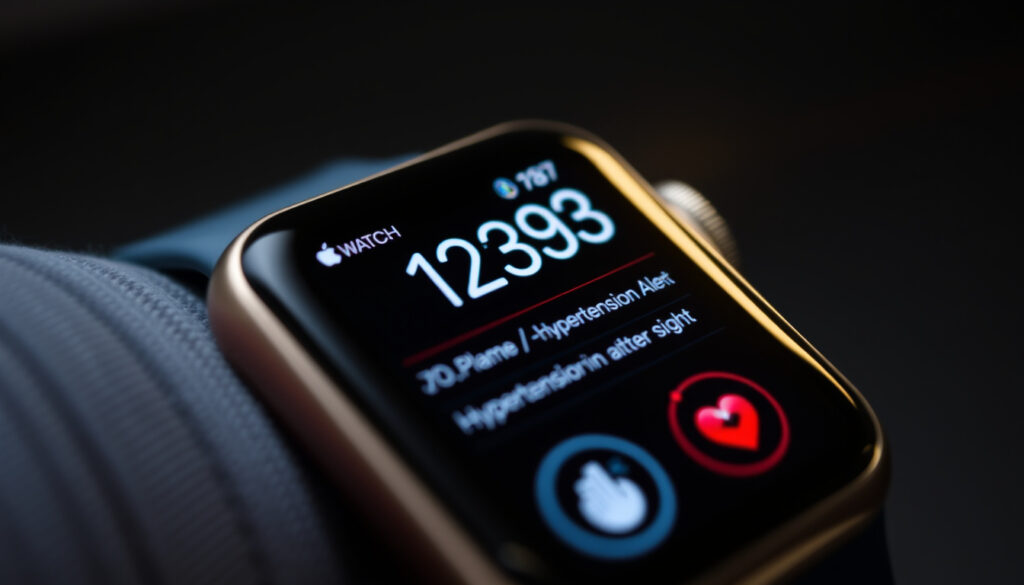
Apple Watch Blood Pressure: Hypertension Alerts Guide
Your wrist can’t replace a blood pressure cuff — but it might notice something your body has been quietly hiding. Apple Watch now flags patterns that could point to chronic high blood pressure, and with the right setup, it can nudge you toward a doctor’s visit before symptoms ever show up. Here’s what the feature actually does, how to turn it on, and what medical experts say about trusting it.
Direct BP Measurement: No · Feature Type: Hypertension notifications · Analysis Method: Photoplethysmography over 30 days · Compatible Device: Apple Watch Series 9 and later · Logging Location: Health app on iPhone
Quick snapshot
- No direct blood pressure measurement (American Heart Association Journals)
- Uses Health app for manual logging (Apple Support)
- Accuracy across all skin tones and wrist sizes (American Heart Association Journals)
- Full global rollout timeline for all 150+ countries (Fox News)
- Feature debuted on Series 11 and Ultra 3 in September 2025 (Cardiovascular Business)
- watchOS 26 and iOS 26 bring the feature to earlier models (watchOS guide on YouTube)
Six attributes separate what Apple Watch delivers from what users might expect.
| Specification | Value |
|---|---|
| Measures Systolic/Diastolic | No |
| Detection Method | 30-day PPG signals |
| Notification Trigger | Chronic high BP patterns |
| Compatible Series | Series 9 and later, Ultra 2 and later |
| Specificity Rate | Above 92% |
| FDA Clearance | 2025 |
The bottom line: Apple Watch cannot measure blood pressure directly, but its FDA-cleared hypertension notifications feature represents a meaningful shift toward passive cardiovascular screening — one that medical experts regard as a useful entry point, not a clinical substitute.
Can the Apple Watch measure blood pressure?
No — at least not in the way a pharmacy cuff does. Apple Watch Series 11, Ultra 3, and later models can alert you to patterns that may indicate chronic hypertension, but they cannot give you a systolic or diastolic reading on the spot. The distinction matters: this is a passive screening tool, not a diagnostic device.
Direct measurement vs notifications
When Apple announced its FDA-cleared hypertension notifications feature, some headlines suggested the watch could now “measure blood pressure.” That overstates what the technology actually delivers. The Apple Watch uses its optical heart sensor to track vascular responses over a 30-day period, but it never inflates a cuff or directly reads pressure in your arteries Medical Device Network analysis. Instead, it looks for patterns in how blood volume changes under your skin — signals that, in aggregate, may suggest your blood pressure has been running high for weeks.
Photoplethysmography analysis
The feature relies on photoplethysmography (PPG), the same optical technology Apple uses for heart rate and blood oxygen. PPG measures changes in blood volume under the skin using light. A machine-learning model then scores those signals for hypertension risk FDA CDRH Database. No calibration or direct blood pressure readings are required to use the feature Fox News.
The validation study showed a specificity rate above 92%, which means the watch keeps false positives low. However, sensitivity was strongest for Stage 2 hypertension — identifying more than half of users at that level. Earlier-stage detection rates remain less clearly documented.
The catch: A notification from Apple Watch means your doctor should check your blood pressure with a cuff — not that you have hypertension confirmed.
How do I turn on blood pressure on my Apple Watch?
You don’t literally “turn on blood pressure” — you enable hypertension notifications and start logging manual readings through the Health app. Here’s the step-by-step process.
Steps in Health app
- Open the Health app on your iPhone
- Tap your profile picture in the top right
- Select Health Checklist
- Tap Hypertension Notifications
- Confirm your age and whether you’ve been diagnosed with hypertension
- Follow the prompts to set up your Blood Pressure Log
Users must confirm their age and whether they have been diagnosed with hypertension before enabling the feature Apple Support documentation. This eligibility gate exists because the feature is designed for people who don’t already know they have high blood pressure — if you’ve been diagnosed, your doctor is already monitoring you.
Pairing requirements
Your iPhone must be running iOS 26 and your Apple Watch must be on watchOS 26. To update, keep your Apple Watch on its charger, connect to Wi-Fi, open the Watch app on your iPhone, tap General, then Software Update Fox News tech report. The feature analyzes PPG signals during waking hours in the background — it runs silently while you go about your day.
The implication: If you skip the eligibility confirmation or use an older software version, the feature simply won’t appear in your Health Checklist — there’s no way to force it on incompatible hardware.
Why doesn’t my Apple Watch have blood pressure?
If you’re not seeing hypertension notifications, the most likely reasons are your model, your software version, or your eligibility status.
Model compatibility
The feature works on Apple Watch Series 9, 10, 11, Ultra 2, and Ultra 3 Medical Device Network. Earlier models — Series 8, SE (1st and 2nd generation), and earlier — lack the optical sensor configuration or processing capability the feature requires. Apple Watch SE does not support hypertension notifications.
Software version check
Without watchOS 26, the feature simply won’t appear in your Health Checklist. Apple typically rolls out major watchOS updates in the fall, but the hypertension notifications feature was introduced earlier as part of a mid-cycle update cycle. Check your current version by opening the Watch app and going to General > About.
If you’ve already been diagnosed with hypertension, Apple locks out the notification feature intentionally. Your doctor is managing your condition — the watch would add noise, not signal. Users with a formal diagnosis should skip the setup and rely on their prescribed monitoring routine instead.
The pattern: Hardware capability, software version, and eligibility status are three independent gates — all three must be open for the feature to work.
How to enable hypertension alerts on Apple Watch with watchOS 26?
The process mirrors the standard setup, but with a few additional steps once notifications are enabled.
Notification setup
After enabling hypertension notifications in the Health Checklist, you can configure how you receive alerts. Go to your Apple Watch settings, tap Notifications > Health, and ensure Hypertension Notifications are turned on. You can also set reminder intervals for your Blood Pressure Log — Apple defaults to morning and evening prompts to capture daily variation Apple Watch user guide.
Pattern detection process
Once enabled, the watch begins collecting PPG signals immediately. However, the algorithm requires roughly 30 days of data before it can surface a notification — it needs enough waking-hours readings to establish whether a pattern exists Times of India health report. Hypertension often goes unnoticed for years, but users can be alerted within just one month of wearing the watch Fox News.
If the watch doesn’t have enough data — say, you only wear it for a few hours a day — it won’t surface a notification even if something looks off. The FDA filing notes that insufficient data means the feature stays silent FDA CDRH Database.
Apple expects the feature could alert more than 1 million people with undiagnosed hypertension in its first year alone — a projection that reflects both the scale of the undiagnosed population and the reach of Apple’s user base. If you’re looking to share content from your iPhone to a larger display, learn how to screen mirror iPhone to TV with this helpful guide Screen mirror iPhone to TV.
What this means: The 30-day window is not a marketing gimmick but a clinical requirement — the algorithm needs sufficient data to distinguish between normal variation and chronic patterns.
What do cardiologists think of Apple Watch?
Medical opinion is cautiously supportive but firmly bounded. Cardiologists see real value in passive screening at scale, but they are clear that a notification from your watch is not a clinical diagnosis.
ACC guidance
The American College of Cardiology has issued guidance on using wearable devices for cardiovascular screening. The ACC acknowledges that wearables like Apple Watch can serve as useful entry points for people who wouldn’t otherwise see a doctor — but it emphasizes that wearable alerts are not a substitute for clinical evaluation. The ACC’s position reflects a broader concern: consumer devices can generate both false positives (unnecessary anxiety) and false negatives (reassurance when action is needed).
AHA screening study
Research published in the American Heart Association Journals confirms that Apple Watch does not actually measure blood pressure directly but analyzes heart rhythm patterns to infer risk AHA Journals. The AHA study underscores that absence of a notification does not indicate the absence of hypertension — the feature cannot identify every instance of high blood pressure. Even with a specificity rate above 92%, the watch will miss some cases.
The hypertension notifications feature is not a diagnostic tool but provides valuable insights and encourages consultation with healthcare professionals.
— American College of Cardiology guidance on wearable cardiovascular screening
When a hypertension notification is received, users are prompted to set up a Blood Pressure Log and use a third-party blood pressure cuff to measure blood pressure for 7 days Apple Support. Users should discuss hypertension notifications and blood pressure measurements with their healthcare professional at their next appointment Apple Support. The watch gives you a reason to act — it doesn’t tell you what to do.
Upsides
- Passive, continuous monitoring during normal wear
- No calibration or extra hardware required
- FDA-cleared validation with 92%+ specificity
- Reaches people who skip routine checkups
- Screens at scale across 150+ countries
Downsides
- No direct blood pressure reading
- 30-day data requirement before first notification
- Limited sensitivity for early-stage hypertension
- False negatives possible — notification absence ≠ health
- Requires consistent daily wear to function
The implication: The upsides are real but bounded — Apple Watch excels at screening asymptomatic people, but it cannot replace the diagnostic accuracy of a clinical blood pressure measurement.
Apple Watch blood pressure review: where it stands
Apple Watch has carved out a meaningful role in cardiovascular monitoring, but blood pressure sits at the edge of what its current hardware can reliably deliver. The hypertension notifications feature fills a real gap — early warning for people who wouldn’t otherwise know something is wrong — but it works best as a conversation starter with your doctor, not a replacement for a cuff.
For anyone with a compatible Apple Watch, enabling hypertension notifications takes less than five minutes and costs nothing extra. The feature is available now with watchOS 26, and Apple is rolling it out across more than 150 countries Fox News. If you meet the eligibility criteria, it’s worth setting up — just don’t mistake a silent watch for a clean bill of health.
The feature rollout reflects a broader shift in how consumer devices contribute to population health. Apple is not alone in this space — Samsung, Withings, and others are pursuing similar approaches. What sets Apple apart is the scale of its user base and the regulatory clearances it has secured to date.
For users in the United States, the choice is straightforward: if you have a compatible watch and no formal hypertension diagnosis, enable the feature, wear your watch consistently, and follow up on any notification with a healthcare provider. For users outside the initial rollout regions, the feature is expected to arrive in the coming months.
The bottom line: The feature is most valuable for people who would otherwise skip their annual checkup — not for those already under a doctor’s care for blood pressure management.
Related reading: Apple Watch Series 4 Review
Frequently asked questions
Is there a smart watch that can measure blood pressure?
No consumer smartwatch currently measures blood pressure directly with the accuracy required for clinical use. Apple Watch, Samsung Galaxy Watch, and others use optical sensors to detect patterns that may suggest hypertension, but they cannot replace a blood pressure cuff. Some devices — like certain Withings models — pair with a separate cuff for home readings, but no watch alone provides a systolic/diastolic number on demand.
How can I check my BP with my Apple Watch?
You cannot check your blood pressure directly on Apple Watch. Instead, enable hypertension notifications in the Health app and manually log blood pressure readings using a third-party cuff in the Health app’s Blood Pressure Log. The watch then analyzes your patterns over 30 days and alerts you if something looks like chronic high blood pressure.
Does Apple Watch SE have blood pressure features?
No. Apple Watch SE (1st and 2nd generation) does not support hypertension notifications. The feature requires the optical heart sensor configuration found in Series 9, 10, 11, Ultra 2, and Ultra 3.
What is Apple Watch blood pressure app?
There is no standalone app. The hypertension notifications feature is built into the Health app on iPhone (with iOS 26) and the Apple Watch software (watchOS 26). You access it through the Health Checklist under your profile settings.
Apple Watch blood pressure how does it work?
Apple Watch uses photoplethysmography (PPG) — the same optical sensor used for heart rate — to measure changes in blood volume under your skin over a 30-day period. A machine-learning model analyzes these signals for patterns associated with chronic hypertension. If a pattern is detected, you receive a notification prompting you to log manual readings with a blood pressure cuff for 7 days.
How to check blood pressure on Apple Watch 10?
Apple Watch Series 10 does not provide a direct blood pressure reading. To use the hypertension notifications feature: open the Health app on your paired iPhone, tap your profile, go to Health Checklist, and enable Hypertension Notifications. You must be running iOS 26 and watchOS 26.
Apple Watch blood pressure readings accurate?
The feature achieved a specificity rate above 92% in Apple’s validation study, meaning false positives are minimized. Sensitivity was strongest for Stage 2 hypertension. However, the feature is not a diagnostic tool and cannot identify every case of hypertension. Accuracy depends on consistent daily wear and sufficient data collection over the 30-day monitoring period.
More related posts
 Air Fryer Chicken Tenders: Crispy Recipe & Health Tips
 Korean to English Translation: Google vs DeepL vs ChatGPT
 Sweet Home Alabama Lyrics – Full Text and Meaning
 May 30 Extra SSI Checks: Two Payments in May 2025
 Fridge Repair Near Me: Should You Repair or Replace?
 Things to Do in Phoenix – Top Attractions and Tips
 Quick Pickled Red Onions: 3 Easy Methods (No Cook to Hot Brine)
