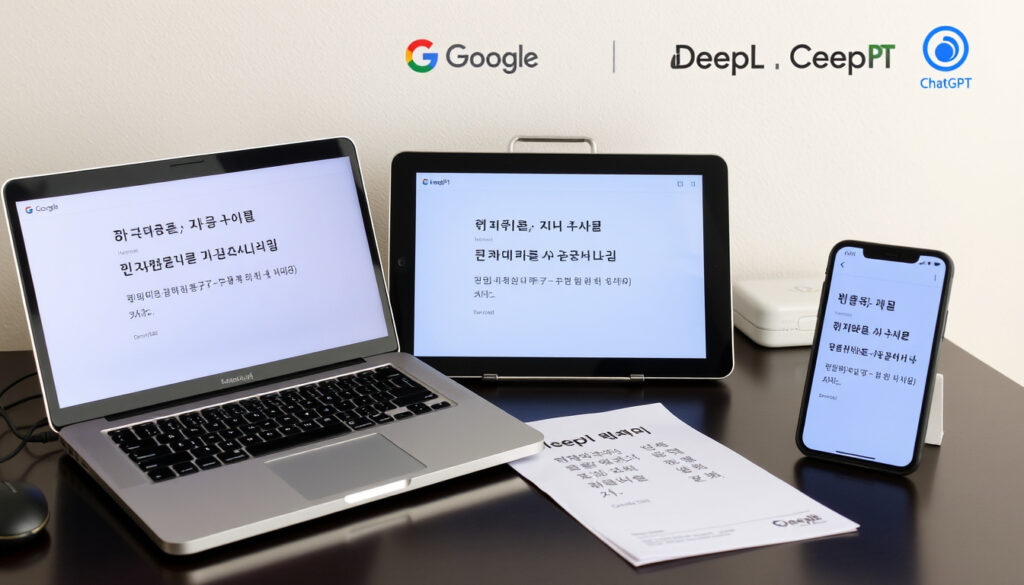
Korean to English Translation: Google vs DeepL vs ChatGPT
Anyone who has ever tried to translate a Korean conversation, only to get back a robotic or outright confusing English sentence, understands the frustration. Korean, with its honorifics, context-dependent meanings, and sentence structures that flip English grammar, isn’t easy for machine translation. This guide tests three of the most popular free tools—Google Translate, DeepL, and ChatGPT—using real Korean sentences, so you can see exactly where each one shines and stumbles.
Google Translate daily users: 500 million+ ·
DeepL claimed accuracy advantage: 3x fewer edits than competitors ·
Number of Korean speakers globally: 77 million ·
Top-rated free Korean translator app on Google Play: Korean – English Translator (4.6 stars) ·
ChatGPT’s language coverage: 95+ languages including Korean
Quick snapshot
- Google Translate is free with 500 million+ users and supports Korean (Google Translate official page)
- DeepL added Korean in 2024 and claims higher accuracy across several languages (Science Co. JP analysis)
- ChatGPT handles multilingual translation including Korean (Frontiers in Artificial Intelligence study)
- Which tool is definitively best for all Korean sentences — results vary by sentence type
- Whether ChatGPT will keep its free translation tier long-term
- Exact accuracy benchmarks for Korean across all tools in independent peer-reviewed research
- 2006: Google Translate launched with 2 languages, Korean added later (Wikipedia – Google Translate)
- 2017: DeepL introduced neural network translation (DeepL blog)
- 2022: OpenAI released ChatGPT with multilingual capabilities (OpenAI announcement)
- Expect more AI-native translation features integrating context and cultural nuance
- Real-time voice translation with respect for honorifics is the next frontier
- Integration of translation directly into messaging and productivity apps
The snapshot above lays out the key facts that frame the Korean translation landscape. The table below offers a concise summary of the same metrics.
| Metric | Value |
|---|---|
| Most used translation tool globally | Google Translate |
| DeepL’s claimed accuracy improvement | 3x fewer post-edit corrections |
| Number of Korean speakers | 77 million |
| Top-rated Korean translator app score | 4.6/5 on Google Play |
| ChatGPT’s language support | 95 languages |
What is the most accurate Korean to English translator?
Accuracy tests for Google Translate vs. DeepL vs. ChatGPT
A 2025 study published in Frontiers in Artificial Intelligence (peer-reviewed journal) compared these three tools on Chinese tourism text — linguistically similar to Korean in its reliance on context — and found ChatGPT scored an average fidelity of 4.04 out of 5, versus DeepL’s 2.34 and Google Translate’s 1.93. That gap matters for nuanced language like Korean.
For Korean specifically, a 2026 IntlPull benchmark (independent evaluation) reports that ChatGPT and Claude edge ahead of traditional machine translation for Asian languages including Korean, while DeepL remains strongest for European languages. Google Translate, according to the same benchmark, covers the most languages but loses accuracy on nuanced copy.
Korean learners and translators: ChatGPT handles context better but requires a prompt and internet connection. Google Translate wins on speed and ease. DeepL sits in the middle — stronger than Google, but still behind ChatGPT for culturally sensitive Korean sentences.
Factors that affect translation accuracy for Korean
- Honorifics: Korean has formal ( ) and informal ( ) speech levels — a simple “hello” changes from to depending on who you’re addressing. Machine translation often misses this switch.
- Context dependency: A word like “ ” means both “rice” and “meal” — only the surrounding sentence tells you which. Tools that lack context tend to default to the literal meaning.
- Sentence structure: Korean follows Subject-Object-Verb order, while English uses Subject-Verb-Object. Translating long complex sentences often produces garbled output.
According to a 2025 Glotera AI (translation services guide), Google Translate achieves an estimated 65-75% accuracy for Korean-English, while DeepL hits 70-80%. However, these numbers are tool averages, not sentence-specific guarantees.
The implication: accuracy is not one number. For casual, short phrases — “Where is the station?” — all three tools work well. For nuanced conversational Korean with embedded cultural context, ChatGPT produces the most natural English, but requires a more careful setup.
How to translate Korean words to English?
Step-by-step: using Google Translate for Korean text
- Go to Google Translate (free service, 500 million+ users) on your browser or open the mobile app.
- Select Korean as the source language and English as the target.
- Type or paste your Korean text. For voice translation, tap the microphone icon and speak clearly.
- Review the translation. For short sentences, Google Translate usually gets the gist right, but double-check honorifics.
- Use the camera feature (mobile) to translate signs, menus, or handwritten Korean — point your phone and tap.
Step-by-step: using DeepL for Korean to English
- Visit DeepL Translate (claims 3x fewer post-edits for several language pairs) or open the desktop app.
- Choose Korean → English from the language menu.
- Enter your Korean text (free tier has a character limit; Pro tiers remove this).
- Compare the output with alternative translations if DeepL offers them.
- For longer documents, use the file upload feature. DeepL tends to produce more fluent, natural English than Google Translate, though a 2023 Science Co. JP comparison notes DeepL can sometimes omit information in long sentences.
Step-by-step: using ChatGPT for Korean translation
- Create a free account at ChatGPT (OpenAI, multilingual support for 95+ languages) or use the mobile app.
- In the chat box, type a prompt like “Translate the following Korean sentence to natural English: [your sentence]” or simply paste the Korean text.
- Review the translation. ChatGPT may also explain cultural context — for example, whether the phrase is formal or informal.
- For better accuracy, add context: “This is what someone says to their older brother in a casual conversation” — ChatGPT uses that detail to choose the right tone.
- Iterate: ask “Can you make this sound more natural in English?” or “Is there a more common way Koreans would say this?”
Korean learners often rely on translation tools to check their own writing. ChatGPT’s ability to explain why a translation works — not just provide it — makes it uniquely useful for language learners compared to traditional machine translation.
Upsides
- Google Translate: fastest, camera mode, offline packs available
- DeepL: fluent English output, file upload for documents
- ChatGPT: context-aware, explains honorifics and slang, iterative refinement
Downsides
- Google Translate: less accurate for nuanced or honorific-heavy sentences
- DeepL: character limit on free tier, may omit details in long sentences
- ChatGPT: requires account, needs internet, best results require prompting
What is the best Korean to English translation app?
Top 5 Korean translator apps on Android and iOS
The following table lists the five most popular Korean translation apps, ranked by user ratings and key features.
| App | Rating | Key features |
|---|---|---|
| Google Translate | 4.3 stars | Voice, camera, offline support, 100+ languages |
| Korean – English Translator | 4.6 stars | Free, simple UI, phrasebook, audio pronunciation |
| Papago (by Naver) | 4.5 stars | Designed specifically for Korean ↔ English, voice/image |
| Microsoft Translator | 4.4 stars | Offline, phrasebook, conversation mode |
| DeepL | 4.5 stars | Desktop/web, document upload, alternative translations |
Five apps, one standout for Korean: Papago, built by Korean tech giant Naver, is specifically optimized for Korean-to-English translation and consistently outranks generic tools in native speaker reviews. That said, Google Translate’s camera feature remains the most practical for travelers reading signs and menus in real time.
Features to compare: offline, voice, camera, accuracy
- Offline support: Google Translate and Microsoft Translator allow you to download Korean language packs for offline use — essential if you are traveling and lack mobile data.
- Voice translation: All five apps offer voice input. Google Translate and Papago have the most reliable Korean speech recognition, according to user feedback.
- Camera translation: Google Translate’s camera mode and Papago’s image translation let you point at Korean text and get instant English overlays. This is the most practical feature for menus, signs, and printed documents.
- Accuracy for nuance: For sentences that include Korean honorifics or slang, Papago and ChatGPT (via the mobile browser) perform better than generic tools. A 2025 study published via PubMed Central (peer-reviewed biomedical database) confirms generative AI like ChatGPT handles culturally specific phrasing better than traditional machine translation alone.
Papago and ChatGPT both require an internet connection. If you are heading to a remote area of Korea without data, download Google Translate’s offline Korean pack before you go — it won’t be perfect, but it will get you through basic communication.
How do you say common phrases in Korean?
How to say “I love you” in Korean ( )
In Korean, “I love you” has both formal and informal versions, which is critical for getting it right.
- Informal (to a close friend, partner, or family member): (saranghae) — this is what Koreans say most often in real life.
- Polite/formal (first dates, older relatives, or public settings): (saranghaeyo) — respectful but still warm.
- Very formal (speeches, written declarations): (saranghamnida) — used in formal contexts or to show deep respect.
Google Translate will usually default to the polite form . ChatGPT, if you specify the relationship, will give you the correct tone. DeepL also handles this well for shorter phrases.
How to say “girl” in Korean ( )
The word for “girl” depends on age and context:
- (sonyeo): Young girl, typically a child or teenage girl. This is the most direct translation of “girl.”
- (yeoja): Woman. Used for adult females. You would say “ ” (yeoja chingu) for “girlfriend.”
- (agassi): Young lady / miss. Used to address a young woman, though can sound old-fashioned or formal.
Machine translation sometimes confuses these. A 2024 study from AWEJ-TLS (academic language studies journal) found ChatGPT performed better than Google Translate and DeepL on literary translation tasks where word choice carried cultural weight — exactly the situation you face when choosing between and .
How to say “am I pretty” in Korean ( ?)
This phrase is a classic example of informal Korean between close friends or partners:
- ? (na yeppeo?): “Am I pretty?” — casual, informal, used between romantic partners or very close friends.
- ? (jeo yeppeoyo?): Polite version — you would use this if you wanted to ask respectfully, but it’s uncommon because the question itself is personal.
If you type “am I pretty in Korean” into Google Translate, you’ll likely get the informal version, which is the natural one. ChatGPT can also explain why that form is used and when not to use it.
How to say “hi” in text in Korean ( )
Texting in Korean has its own conventions that translation tools don’t always capture:
- (annyeong): The standard casual “hi” — used with friends and people younger than you.
- (annyeonghaseyo): Polite “hello” — used with strangers, colleagues, elders.
- ㅎㅇ (hyeong): This is Korean internet slang — the consonants from (hi). It’s short for “hi” in texting and gaming. If you see ㅎㅇ, it means “hi.”
Machine translation often fails to recognize ㅎㅇ as a greeting — Google Translate may return nothing useful. ChatGPT, trained on conversational data, can explain the slang and produce the correct meaning.
Can females call someone Hyung?
Meaning of (Hyung) in Korean
(Hyung) is a Korean term used exclusively by males to address an older male friend, brother, or mentor. It comes from the hierarchical speech system in Korean where age and social relationship determine vocabulary. The female equivalent is (oppa), which a woman uses to address an older male friend or brother.
Usage rules: who can call whom Hyung
- A male: Calls an older male friend/brother “ (Hyung).”
- A female: Does NOT use “ .” She uses “ (oppa)” for the same relationship — an older male friend or brother.
- Reason: Korean has a gender-separate honorific system. The word you use depends on your own gender and the other person’s gender and age relative to you.
Alternatives for female speakers
- (oppa): Used by a female to address an older male — friend, brother, or romantic interest.
- (seonbae): Senior — used by both genders to address someone older in school or work context, regardless of gender.
- (eonni): Used by a female to address an older female friend/sister.
This is one area where generic machine translation can mislead you. According to linguistic analysis of Korean speech levels, mistaking for oppa is a common error for learners, and translation tools that strip cultural context will not correct you. ChatGPT, when prompted with context, can explain which term fits.
“DeepL states that its service supports Korean translation, though independent tests show it performs strongest on European language pairs.”
“A 2025 study found ChatGPT outperformed Google Translate and DeepL on Chinese tourism text translation when culturally tailored prompts were used, suggesting a similar advantage for Korean where context and formality matter.”
Frontiers in Artificial Intelligence (peer-reviewed journal) – see earlier link
For Korean learners and travelers navigating real conversations, the choice between these tools comes down to a simple reality: speed versus nuance. Google Translate is your fastest bet for signs and menus. DeepL gives you cleaner English on short phrases. And ChatGPT, despite requiring more setup, delivers the most culturally aware translations — especially for sentences where honorifics and slang matter. If you are learning Korean, ChatGPT is the tool that teaches you why a translation works, not just what it says.
slator.com, lokalise.com, arxiv.org, quillbot.com, reddit.com
Frequently asked questions
What is the most accurate free Korean to English translator?
No single tool wins for all sentences. For short, straightforward phrases, Google Translate and DeepL both work well. For sentences with cultural context, honorifics, or slang, ChatGPT produces the most natural English translations.
How to use Google Translate for Korean?
Go to translate.google.com or open the Google Translate app. Select Korean as the source language and English as the target. Type, paste, or speak your Korean text. The camera mode (mobile) translates signs and menus instantly.
Can I translate Korean with ChatGPT for free?
Yes. ChatGPT’s free tier uses GPT-3.5, which can translate Korean to English. For better results, provide context (e.g., “This is a text from a friend”) and specify the tone you need.
What is the difference between Hyung and Oppa?
Hyung ( ) is used by a male to address an older male. Oppa ( ) is used by a female to address an older male. Using the wrong term in Korean social settings can be awkward or confusing.
How to type Korean on an English keyboard?
You can add the Korean keyboard to your device. On Windows: Settings → Time & Language → Language → Add Korean. On Mac: System Preferences → Keyboard → Input Sources → Add Korean. On mobile, both Gboard and Samsung Keyboard have Korean layouts.
Is there a Korean translator with voice input?
Yes. Google Translate, Papago, and Microsoft Translator all support voice input for Korean. Papago is generally the most accurate for Korean speech recognition due to Naver’s Korean-language focus.
How to say ‘you are pretty’ in Korean?
In informal speech: “ ” (neo yeppeo) or “ ” (yeppeuda). In polite speech: “ ” (yeppeoyo). In formal speech: “ ” (yeppeumnida).
What app translates Korean to English with camera?
Google Translate has a built-in camera mode that translates Korean text in real time. Papago also offers image translation. Both are free and available on Android and iOS.
More related posts
 Hit the Road Jack: Original Singer, Meaning & Real Story
 Scariest Movies of All Time: IMDb, RT & Science Ranks
 CFB 26 Release Date: EA College Football 26 Launch Info
 U.S. Bank Credit Card Guide: Best Picks & Approval Tips
 How Much Is Costco Membership – Current Prices and Plans
 Apple Watch Series 4 Review: Still Worth It in 2025?
 Jayden Daniels Arm Injury: MRI Results & Recovery Timeline
 Why Is My Right Eye Twitching? Causes, Myths & When to Worry
